If you’ve been around here for long, you know I’m a big advocate for rethinking, whether that’s our teaching approach, daily habits, the student events we offer each year, our digital setup, or where we turn for inspiration and support. Anything, really!
It’s easy to get stuck in familiar cycles simply because they’re what we’ve always known. But life moves in seasons, and podcasts are no exception. Since I first started listening ca. 2012 (I think??), both how I listen and what I listen to have shifted quite a bit.
In this post, I’ll share how my listening habits have changed, why the Overcast app is my podcast player of choice, what’s currently in my podcast player, and a quick roundup of podcasts specifically for piano teachers.
How My Podcast Listening Has Changed
One thing that hasn’t changed is when and where I listen. Podcasts are still the perfect sidekick for getting ready in the morning, cleaning, going for a walk, or taking a long drive. What has changed is the tools I use and the mindset I bring to listening.
Back in 2018, I shared a post on some of my favorite podcasts under 20 minutes. By then, I’d already gone through the honeymoon phase (when I consumed every episode of every show), the burnout phase (when I stopped listening for a while), and the rebound phase (when I only wanted short episodes), hence that post!
I still gravitate toward episodes of 12 to 25 minutes, which is also the length of my own podcast, but these days I’m more selective overall for both long- and short-form episodes. I’ve also started using a few settings and tools in Overcast, my podcast app of choice, to help me focus on what I actually want to hear. More on those in a moment.
I now think about podcasts in three groups:
- My top 10: The can’t-miss shows where I listen to 75 to 100% of episodes
→ Episodes download automatically – show “pinned” to the top of my list - Regular follows: Shows I enjoy and want to keep up with but am more selective in episode play
→ Episodes download automatically - The archive: Shows I don’t listen to regularly anymore but don’t want to forget about
→ Episodes do not download automatically
Overcast lets me organize and approach my listening in exactly this way. Let me show you how.
Why I Use Overcast
In podcast-listening land, there are really two podcast players that are most popular:
Apple Podcasts is the default for many listeners, but I’ve never been a fan of its design or how it works. It’s hard to explain, but I’m all about practical, clear workflows, and I just don’t find it very user-friendly.
Spotify, the next most popular option, swings the opposite way. It’s almost too simple, with very few tools for managing the podcasts you follow. (But it’s my go-to for music! I especially love that I can create my own playlists and even customize the song order and cover images.)
As we all know, however, sometimes just because something is the most popular or widely used doesn’t mean it’s the best option out there – it just means it’s the one that Apple placed on our devices by default.
In fact, years ago Apple would not let you remove their default apps like Podcasts and Notes from your devices. It was so annoying! I used to create a folder for “unused apps” that Apple wouldn’t let me remove. Luckily, that has since changed, and I also discovered a much more user-friendly option for podcast listening that I’ve been using for a long time now.
Overcast is a happy medium: simple in design, but practical and useful where it counts. I also like keeping my podcasts separate from my music for no reason other than compartmentalizing.
Here are all the reasons I love Overcast.
The Home Screen
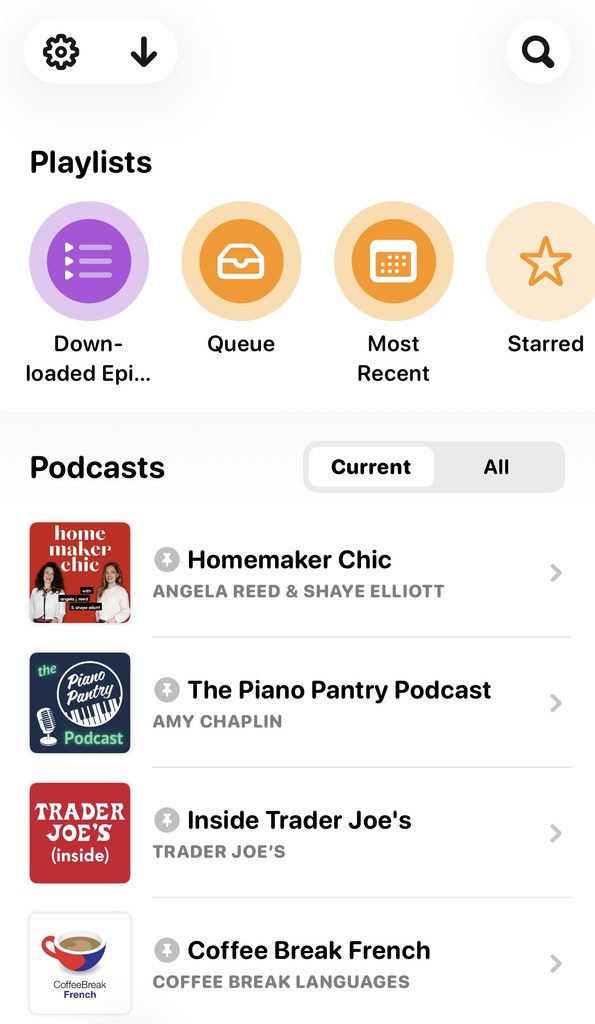
When you open the app, you land on a view of all your active podcasts with new episodes available [ Current ], rather than just the most recent download or a list of suggested shows like in other podcast apps.
If you select the other tab [ All ] you will see a list of every podcast you’ve both followed and unfollowed (but haven’t deleted entirely), which I explain more below.
The “Playlists” section at the top is partially customizable. To customize this area, tap the settings gear and scroll down to “Customize Home Screen.”
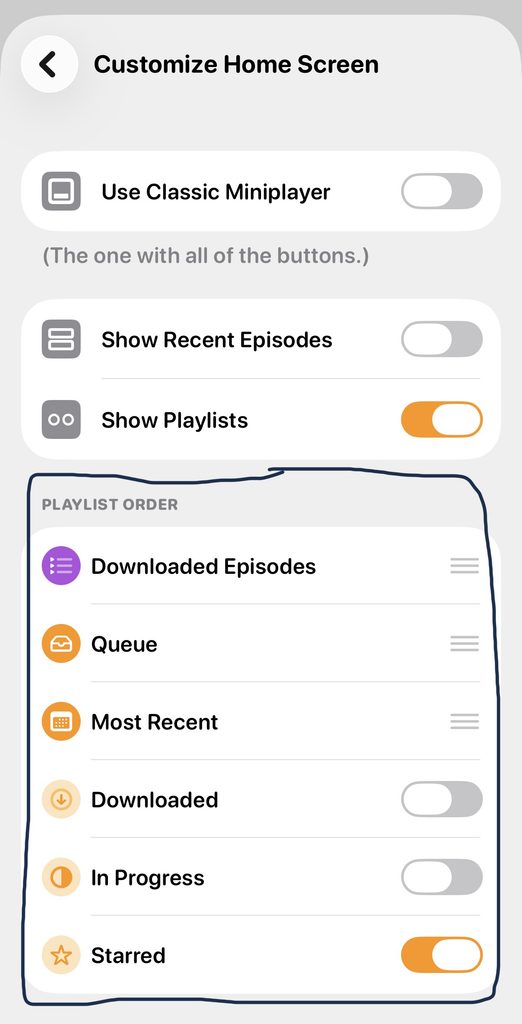
You can’t remove three playlists (Downloaded Episodes, Queue, and Most Recent), but you can toggle off the other three so they don’t appear on the home screen (Downloaded, In Progress, and Starred).
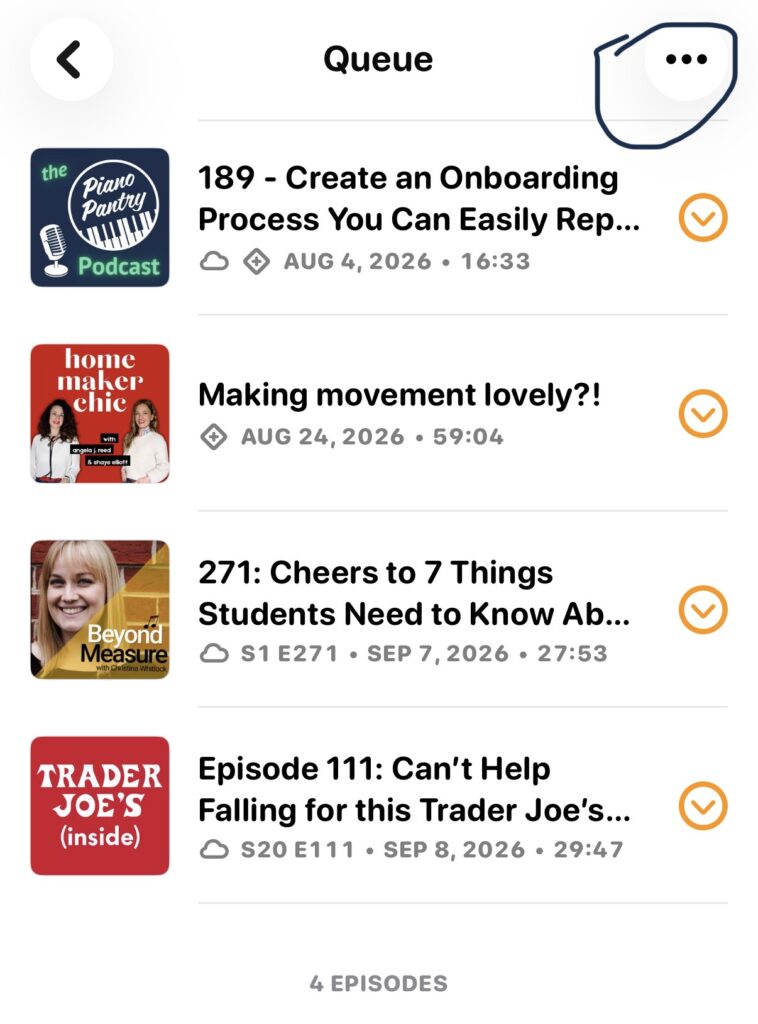
I prefer to build my own playlists when I know I’ll be listening for an extended period, so I only use the “Queue” Playlist option.
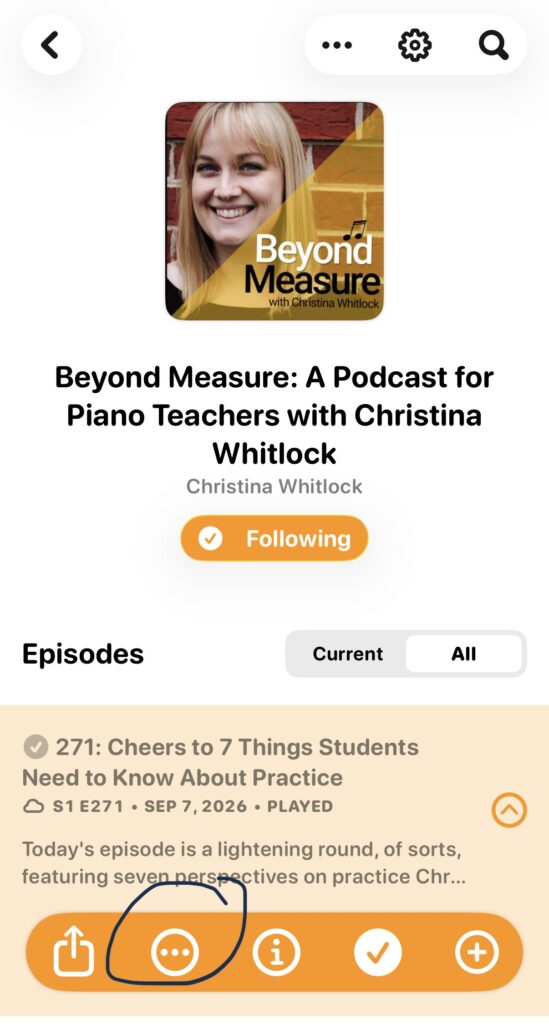
To add an episode to your queue, go into the podcast, click on the 3 dots on the episode toolbar, and select “Add to Queue”
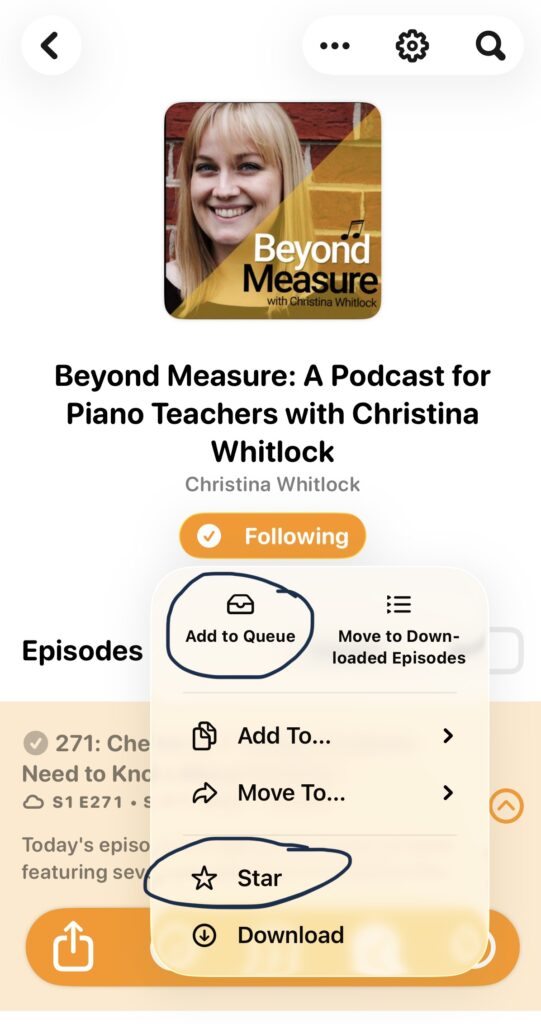
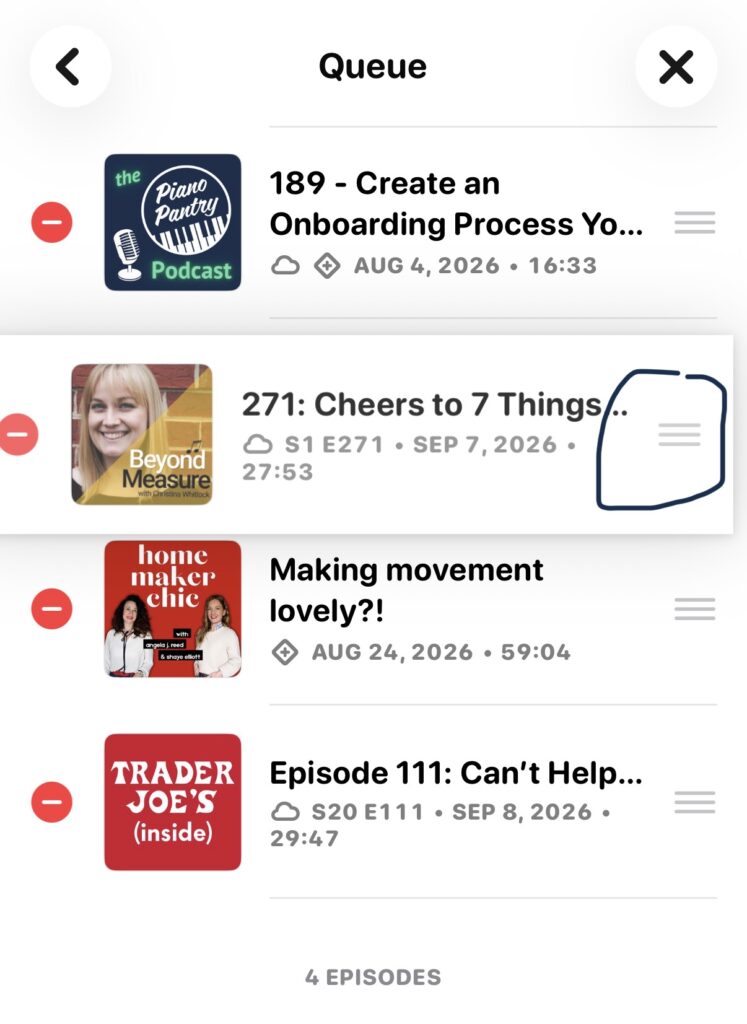
Once episodes are added to the list, you can change the order in which episodes auto-play.
Click the three dots in the RH corner, then “Edit Episodes.” Using the 3 horizontal lines, drag each episode to a different spot in the list.
Settings for Each Podcast
This is the best part of this app.
When you follow a new podcast, its episodes start downloading automatically, so I recommend opening that podcast’s settings right away to customize it. Here are the ones I use most:
- Follow New Episodes: This is how I create my “archive.” If you toggle it off, the podcast stays in your app, under “All” instead of on your main list. It only disappears if you actually “Delete” it. I like keeping old podcasts I no longer listen to regularly because it’s nice not to forget podcasts you’ve enjoyed in the past, so you can see if anything of interest comes up without weighing down your regular listening list.
- Pin to Top of Podcasts List: This is how I focus on my top 10. Pinned shows stay at the top of the main screen whenever they have new episodes.
- Playlist settings: You can also choose whether a podcast’s downloaded episodes get added to any of your playlists. I toggle off the Queue because I like to add episodes to that playlist manually.
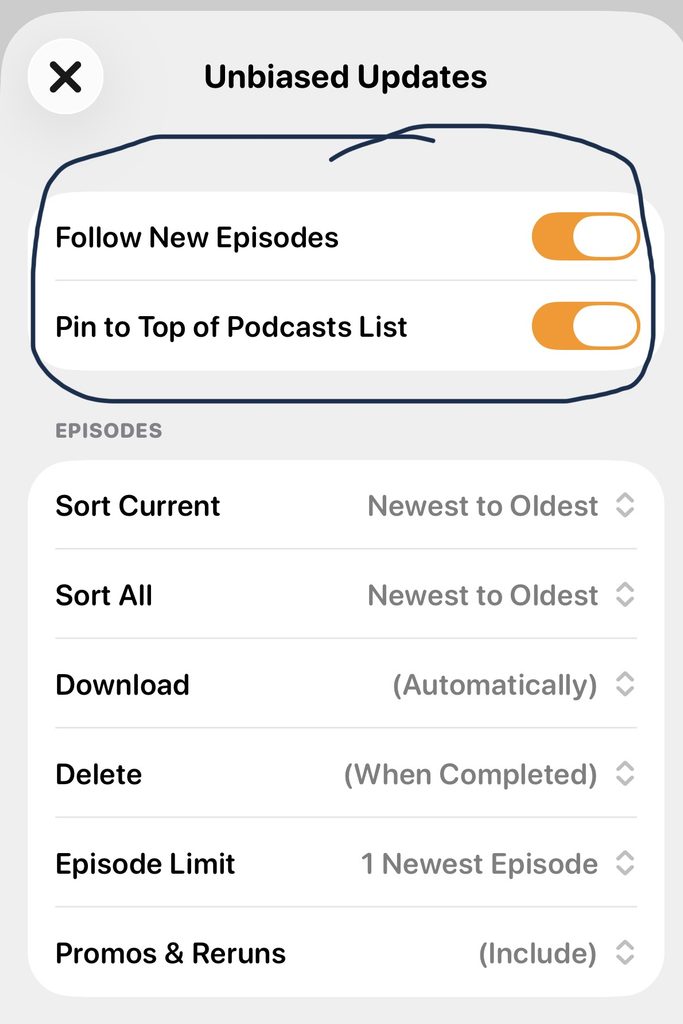
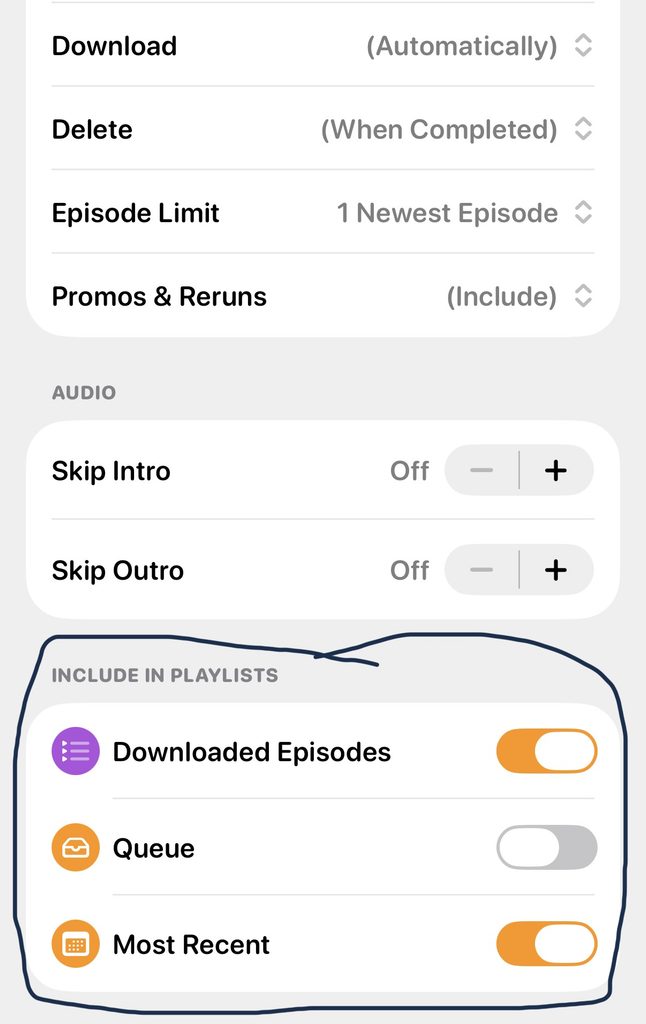
When you toggle on “Pin to Top of Podcasts List,” that podcast will always appear at the top when new episodes are available and will show a grey pin icon. Podcasts that you follow but don’t “pin” will appear below the pinned episodes on the home screen under [ Current ] when new episodes are available.
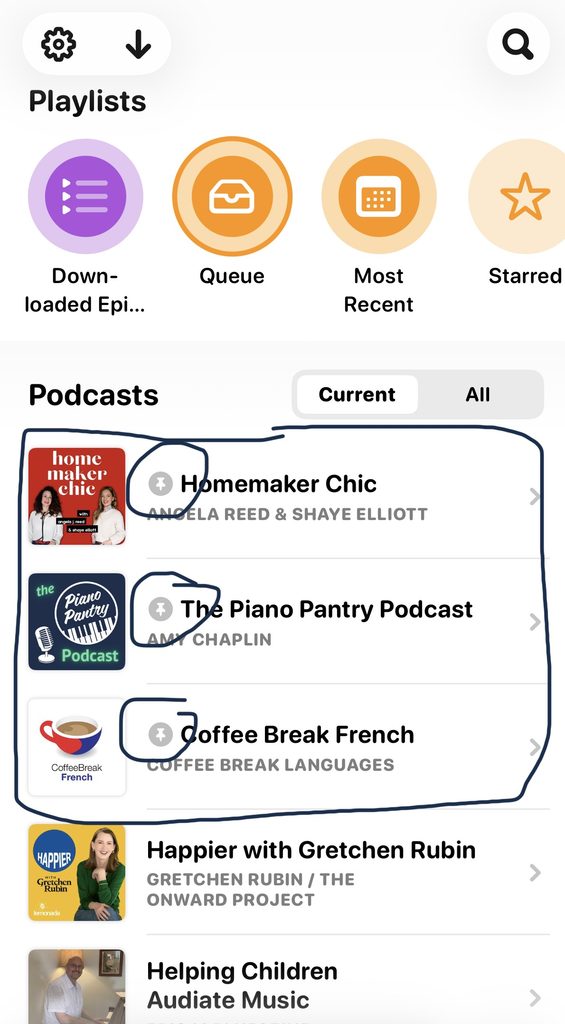
Together, these settings help me sort shows by what they mean to me right now
- What’s important → pinned top 10
- What I find interesting → following – new episodes will appear under “Current” but appear below the pinned shows and are more selectively played
- What I used to enjoy but no longer need in this season → essentially an “Archive”
Overcast doesn’t actually call it an archive; that’s just how I think about it.
All of those podcasts live under [ All ] – but they don’t automatically download new episodes.
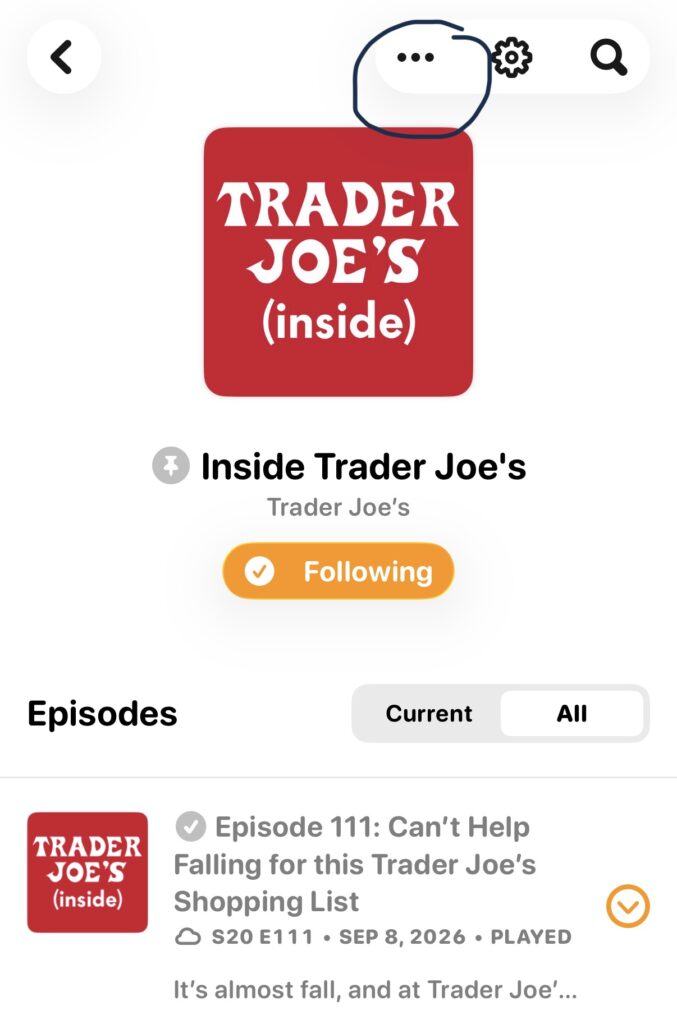
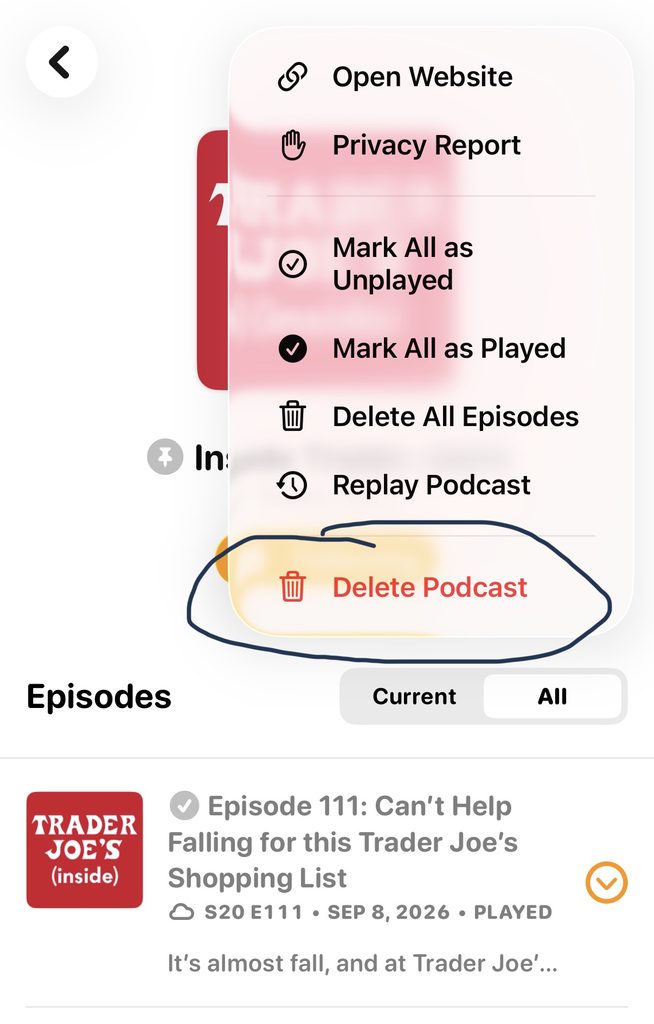
If you really want to get rid of a podcast from your list, you have to “Delete” it, not just “Unfollow.” Do this by clicking on the 3 dots in the top RH corner and selecting “Delete Podcast.”
What’s in My Podcast Player Right Now
Now that we’ve covered the logistics of how I use Overcast to manage my podcasts, it’s time to share some current favorites: my top 10, a handful of other favorites, and a list of podcasts specifically for piano teachers available in 2026 (that I know of).
First up is my Top 10, which you already got a snippet of in the screenshots above.
News
- Unbiased Updates (Straight Arrow News)
- The Daily (The New York Times)
Life
Music Studio
- Beyond Measure (Christina Whitlock)
- Field Notes on Music Teaching & Learning (Ashley Danyew)
- Everyday Musicality (Heather Shouldice)
- The Piano Pantry Podcast (Amy Chaplin), of course! 🙂
Business
- Growing Steady: Intentional Creative Business Podcast (Wandering Aimfully)
Other Podcasts I’ve Enjoyed Over the Years
- Happier with Gretchen Rubin
- The Lazy Genius (Kendra Adachi)
- The NewsWorthy (Erica Mandy)
- Nutrition Diva (Monica Reinagel)
- The Next Right Thing (Emily P. Freeman)
- The Smart Passive Income Online Business and Blogging Podcast (Pat Flynn & Liz Wilcox)
- Sold a Story (APM Reports)
- What It’s Like to Be… with Dan Heath
Podcasts for Piano Teachers
Other bloggers have put together very thorough lists of podcasts for piano teachers over the last few years, so I didn’t want to duplicate that. But I can’t write a post about podcasts without a shout-out to my colleagues who are creating shows to support our work as music teachers.
There are so many now that I can’t catch every episode of every one, but I do my best to support them all!
- Creative Piano Pedagogy (Elizabeth Davis-Everhart and Tara Mock)
- The Fourforty (440) with Eric Branner
- How to Run Your Biz Without Hating Your Boss (Michelle Markwart Deveaux and Sara Campbell)
- Music Studio Startup (Andrea Miller)
- Piano Inspires Podcast (Francis Clark Center)
- Piano Teaching Success Podcast (Gillian Erskine & Paul Myatt)
- The Scrappy Piano Teacher Podcast (Jaclyn Mrozek)
- The TopCast (Tim Topham)
- TopMusic Piano Podcast (Rachel Ehring)
- The Vibrant Music Teaching Podcast (Nicola Cantan)
P.S. For an even fuller list, check out these roundups from other piano teachers:
Over 25 Music Podcasts Music Educators Can Follow (Jennifer Foxx)
12 Podcasts for Piano Teachers to Follow in 2021 (Joy Morin)
12 Podcasts for Piano Teachers to Follow in 2022 (Joy Morin)
More Podcast Talk
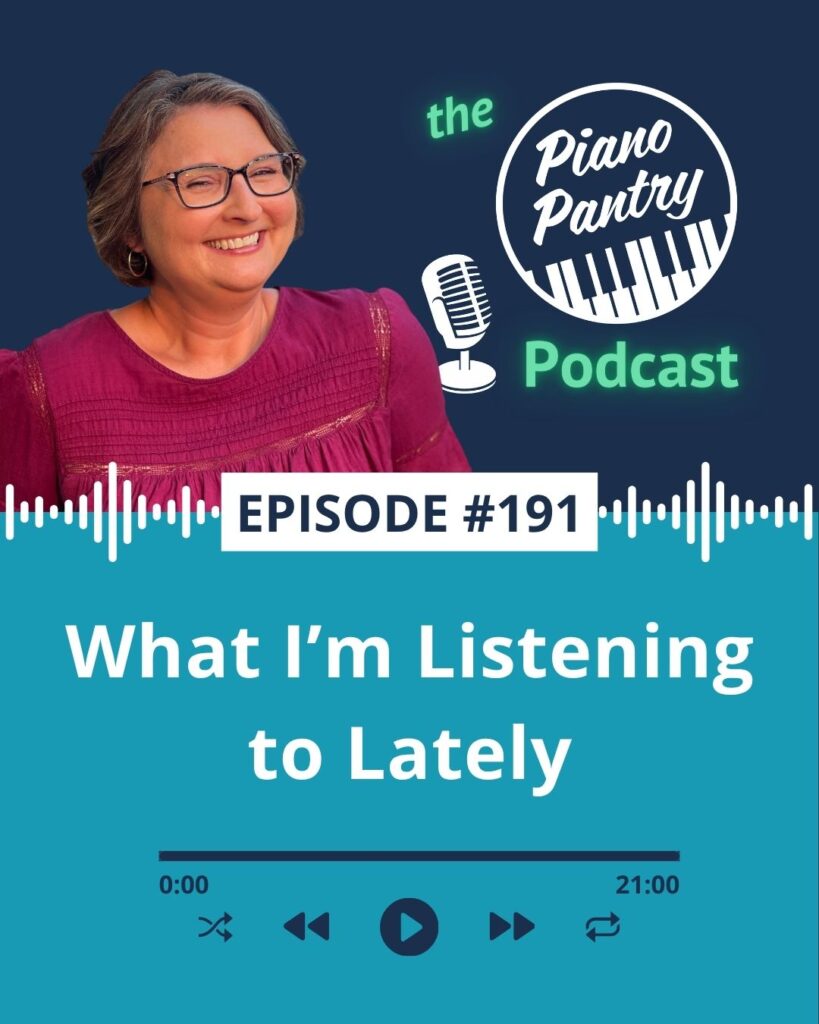
Piggybacking off this blog post, you can find more in-depth descriptions of some of my current favorite podcasts, as well as a peek at what music I’ve been listening to lately. Listen in to the most recent episode – #191 – of the Piano Pantry Podcast.
Want a Closer Look at Overcast?
Reading about settings only gets you so far! If you’d like to see how it all works, I put together a live video tour of the Overcast app and how I utilize all the settings I talked about in this post. It’s available to my Patreon Pals (currently $7 a month), and you can cancel anytime. Join here.
What About You?
Do you have any favorite podcasts I should check out that aren’t on my list? LMK in the comments!